
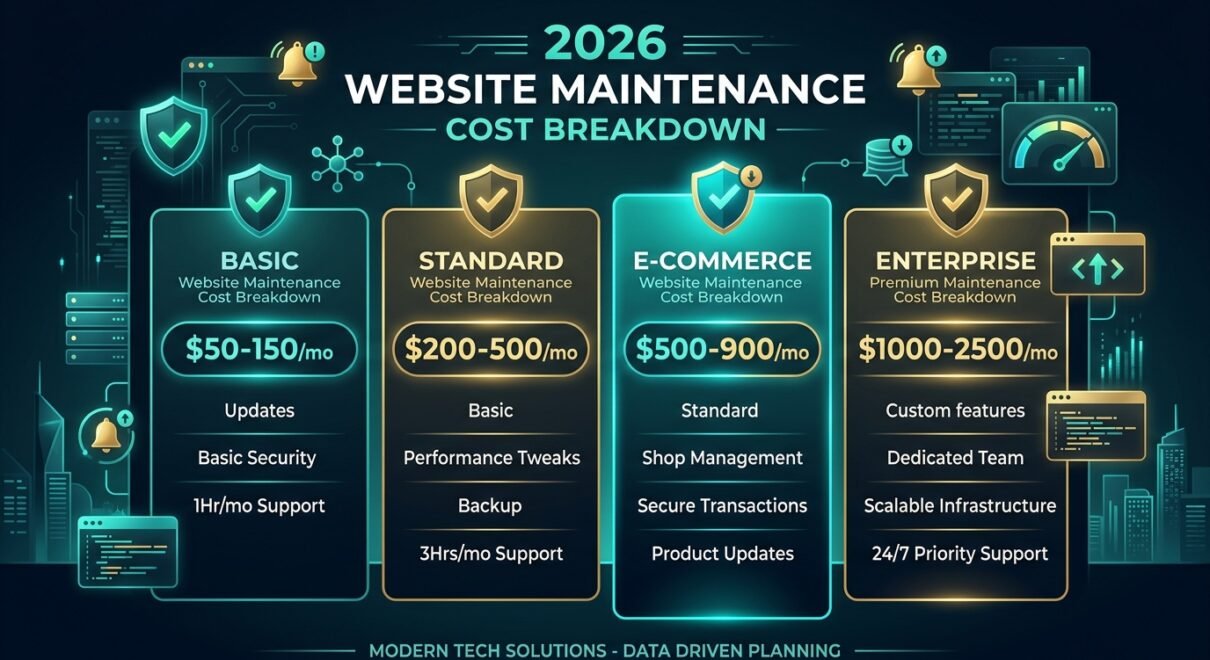
The short answer: website maintenance in 2026 costs between $50 and $2,500/month
What you pay depends on three variables: the size and complexity of your site, how often it changes, and how fast you need problems fixed. A five-page brochure site on a managed WordPress host needs about $50–$150/month. A mid-size e-commerce store with regular inventory updates, plugin management, and uptime monitoring runs $300–$800/month. Enterprise SaaS platforms with custom code, staging environments, and SLA-backed support land at $1,000–$2,500/month and up. The numbers below come from real retainer agreements — not guesses.
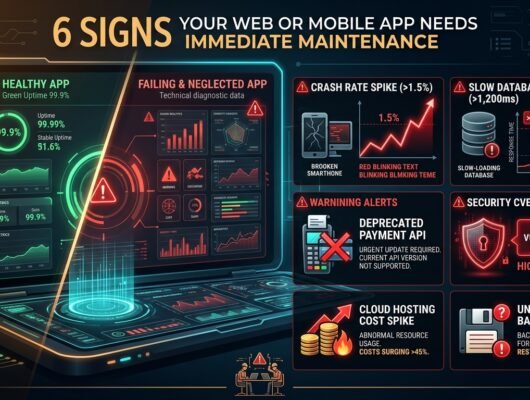
Maintenance is the service most businesses underestimate until something breaks. A hacked plugin, a PHP version bump that kills checkout, a caching layer misconfigured after a theme update — we see these regularly. This guide walks through exactly what “maintenance” includes, what it costs at each tier, and how to decide whether to do it in-house or outsource it.
What website maintenance actually includes (most people get this wrong)
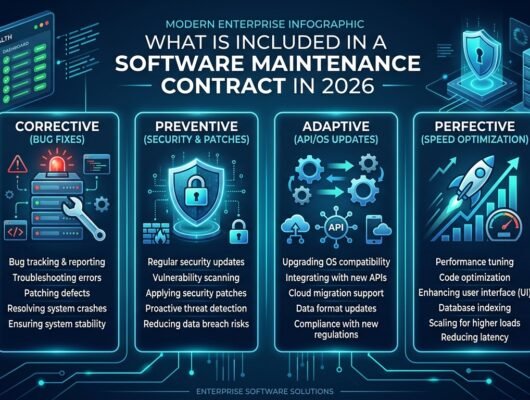
Many clients assume maintenance means “keeping the lights on.” It’s more than that. A complete maintenance contract covers six distinct work streams, and you only realise which ones matter when one of them lapses.
1. Core, plugin, and theme updates
WordPress releases minor updates roughly every 4–6 weeks. PHP, the language your server runs, releases security patches on its own schedule. Plugins update on their own timeline — often days after a vulnerability is disclosed publicly, which is exactly when automated scanners start probing sites running the old version. The job is not just clicking “update”: it’s testing the update in staging, confirming nothing broke, then deploying. Skipping the staging step is how update-related downtime happens.
Across our active maintenance retainers, the average WordPress site runs 18–24 active plugins. That’s 18–24 potential points of failure during any update cycle. We track this with a simple update log — date applied, version changed, tester initials, sign-off status.
2. Security monitoring and malware scanning
Automated bots continuously probe for known vulnerabilities. Tools like Wordfence or Sucuri run file-integrity checks and block malicious traffic, but they need configuration and someone watching the alert queue. A triggered alert at 2 AM on a Friday is worthless if nobody reads it until Monday morning. Response SLA is what you’re actually paying for here.
3. Uptime monitoring and performance checks
External uptime monitors (UptimeRobot, Better Uptime, Pingdom) check your site every 30–60 seconds from multiple locations. They catch outages your team will miss. Monthly performance checks — Core Web Vitals, LCP, CLS, TTI — matter because Google’s ranking algorithm actively uses these scores. A site that drifts from a 92 to a 68 PageSpeed score over six months will lose organic traffic before anyone notices.
4. Database optimisation and backup verification
WordPress databases accumulate post revisions, transient data, and orphaned rows over time. Left unchecked, a 500-post blog’s database can reach 400–600 MB of effectively junk data, slowing every query. Monthly cleanup keeps it lean. Backups need verification — not just existence. We’ve audited client sites where automated backups had been silently failing for months. The backup files existed; they just couldn’t be restored. Restoration testing matters.
5. Content updates and minor edits
Many retainers include a block of hours for small content changes: swapping a banner, updating a team page, adding a new service. This is distinct from development work. Typically 1–4 hours/month is enough for a stable marketing site. E-commerce sites with live inventory need more.
6. Incident response
When something breaks — hack, plugin conflict, server failure — response time is what determines damage. A 4-hour SLA versus a next-business-day SLA is a genuine cost driver. Emergency incident response is the item most agencies charge extra for; reputable ones bake it into tiered plans so you know what you’re getting before you need it.
The 2026 pricing tiers: what real retainers cost
These figures reflect current market rates we see in vendor proposals and our own pricing for international clients (USD). Pakistani rupee pricing for local clients runs roughly 40–50% lower at current rates.
| Tier | Monthly Cost (USD) | Best For | What’s Included |
|---|---|---|---|
| Basic | $50–$150 | Brochure sites, personal sites, small blogs | Core + plugin updates, weekly backup, uptime monitor |
| Standard | $200–$500 | SME marketing sites, portfolios with leads | All basic + security scanning, 2 hrs edits, 24hr incident response |
| E-Commerce | $500–$900 | WooCommerce or Shopify stores, 100–2,000 SKUs | All standard + checkout testing, DB optimisation, 4 hrs edits, 8hr response SLA |
| Enterprise / Custom | $1,000–$2,500+ | SaaS platforms, custom-code sites, multi-server | All above + staging environment, code deployments, 4hr SLA, monthly report |
One practical benchmark: a mid-size e-commerce client we took on in Q1 2026 was self-managing their WooCommerce site. They’d skipped 14 plugin updates over four months. The site was running PHP 7.4 on a host that had already flagged end-of-life. Within six weeks of going unmaintained they had a checkout redirect hack injected via a vulnerable payment plugin — three days of lost sales before they found us. Emergency remediation and cleanup cost them more than 18 months of a standard retainer would have. That’s the real cost of not maintaining.
Should you maintain in-house or outsource?
The honest decision framework is this: maintenance is boring, repetitive work that requires current knowledge of WordPress internals, hosting environments, and the security vulnerability landscape. If you have a developer on staff who genuinely enjoys this work and has the time to do it thoroughly — in-house is fine. Most businesses don’t.
The common failure mode we see: a developer is assigned “website maintenance” alongside their real job. Updates happen inconsistently. Backups aren’t tested. Security alerts go to an inbox nobody monitors. Then something breaks, and the developer — who is not a specialist — spends three days troubleshooting what an agency would have fixed in four hours. The opportunity cost of that three-day diversion is real money.
Outsource if:
- Your site generates leads or revenue (downtime = lost money)
- You run e-commerce with live checkout
- You don’t have a dedicated developer whose primary job is the website
- You’ve ever said “we’ll update that later” and not done it within two weeks
Keep in-house if:
- You have a developer specifically allocated to the site
- The site is purely informational with very low traffic
- You have staging, version control, and a tested backup process already running
What a monthly maintenance report should look like
Any agency you hire should send you a monthly report. If they don’t, ask for one — and if they can’t produce it, that’s a signal. A good report covers: updates applied (core, plugin, theme, with version numbers), backup status and last verified restoration date, uptime percentage for the month, security scan results, PageSpeed score, and a log of any incidents or edits made. This report is both accountability and documentation. If you ever switch agencies, the new team should be able to pick up exactly where the old one left off.
FAQ: website maintenance costs in 2026
Is website maintenance a one-time cost or recurring?
Recurring. Updates, security monitoring, backups, and uptime checks are ongoing activities — not something you do once and forget. A one-time “maintenance visit” addresses an immediate problem but doesn’t prevent the next one. The recurring nature is why the retainer model exists.
What happens if I skip maintenance for 6 months?
In our experience, the risk timeline is roughly: 1–3 months of skipped updates = outdated plugins with known public vulnerabilities; 3–6 months = a meaningful probability of automated exploit attempts succeeding; 6+ months = near-certain compromise on any site with meaningful traffic. The actual outcome varies, but the risk compounds non-linearly. We’ve never seen a client who skipped maintenance for 12 months and was glad they did.
Does maintenance include SEO or content writing?
Standard maintenance contracts don’t include SEO strategy or content creation — those are separate services. Most contracts include small content edits (updating a price, swapping an image) but not new page creation or blog writing. If you need both, ask the agency to scope them separately so you understand what you’re paying for each.
Can I get maintenance for a non-WordPress site?
Yes. The core activities are the same regardless of platform — updates, monitoring, backups, security, performance. Custom-coded sites (Next.js, Laravel, Django) require a developer familiar with the specific stack; costs tend to run 20–40% higher than equivalent WordPress maintenance because there’s no plugin ecosystem simplifying the update process.
How do I evaluate a maintenance agency before signing?
Ask three questions: What does your staging-before-update process look like? What is your incident response SLA and how is it measured? Can you show me a sample monthly report from an existing client (redacted)? Any agency that hesitates on any of these three has process gaps you’ll discover at the worst possible time.
If you’re evaluating maintenance options for your WordPress, WooCommerce, or custom web application, our maintenance retainers are structured to the tiers above. We work with clients in the UK, UAE, Saudi Arabia, and Pakistan — and we send the monthly report every single month without being asked. Get in touch for a free site audit and we’ll tell you exactly what your site needs before quoting.