
The short answer: 6 critical warning signs your application requires immediate maintenance
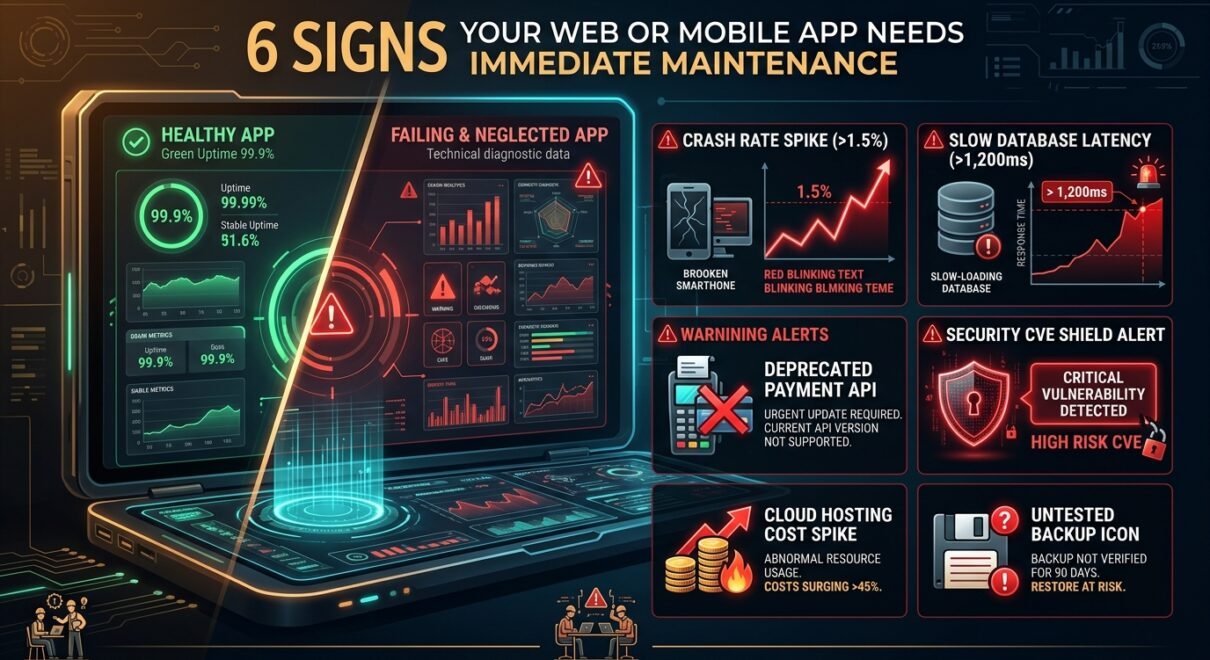
Your web or mobile application requires immediate maintenance when it exhibits any of these six technical warning signs: mobile crash-free sessions drop below 99%, page load or API latency exceeds 3 seconds, database tables lack indexing causing high server CPU utilization, third-party SDKs throw deprecation warnings, automated backups fail test restorations, or dependency scanners detect unpatched Common Vulnerabilities and Exposures (CVEs). Postponing maintenance converts routine $300–$800/month preventive upkeep into emergency outage remediation costing $3,000 to $10,000+ in developer overtime and lost customer revenue.
Applications do not fail suddenly; they degrade gradually. Software operates within a constantly shifting ecosystem of operating system updates, browser security policies, cloud runtime deprecations, and library patches. When an application is left unmaintained for six to twelve months, technical debt compounds silently until an unexpected outage, data breach, or App Store rejection halts business operations. Below is a practical diagnostic framework to assess whether your software is approaching a failure threshold.
Diagnostic matrix: Normal operating health vs. critical maintenance warning signs
Use this technical health checklist to evaluate the current stability of your web platform or mobile app:
| Technical Metric | Healthy Baseline (Maintained) | Critical Warning Sign (Needs Immediate Work) | Underlying Technical Root Cause |
|---|---|---|---|
| Crash-Free Sessions | > 99.5% on iOS and Android | < 98.5% (or sudden localized spikes) | Uncaught null pointers, unhandled network timeouts, OS permission changes in newer iOS/Android releases. |
| Database Latency | Queries execute in < 50ms | Slow queries taking > 500ms – 2,000ms | Missing composite indexes on growing tables, fragmented indexes, accumulated session transients. |
| Third-Party SDK Status | Supported within current vendor N-1 version | Using deprecated endpoints (Stripe, Firebase, Auth) | Payment gateway API deprecations, push notification protocol changes, OAuth security standard shifts. |
| Core Web Vitals (LCP) | Largest Contentful Paint < 2.5 seconds | LCP > 4.0 seconds on mobile | Unoptimized image assets, server-side TTFB bottlenecks, render-blocking legacy JavaScript bundles. |
| Security Vulnerabilities | Zero High or Critical CVEs | 1+ High/Critical CVEs flagged in dependencies | Outdated open-source packages (npm, pip, composer) with publicly known exploit vectors. |
| Cloud Hosting Costs | Stable cost per monthly active user (MAU) | Monthly AWS/GCP bill creeping up without user growth | Memory leaks triggering auto-scaling, unindexed queries overloading CPU, unmanaged database snapshot storage. |
The 6 detailed signs your application is in trouble
1. Mobile crash rates are silently climbing
Modern mobile platforms deprecate background processes and update privacy permissions annually. When iOS or Android rolls out a major update, unmaintained apps begin crashing on newer devices. If your Firebase Crashlytics or Sentry dashboard shows crash-free users dropping below 99%, users will abandon your application and leave 1-star reviews on the App Store and Google Play.
2. Database queries are slowing every user action
In newly deployed applications, unindexed database queries run quickly because tables only hold a few hundred rows. As your platform accumulates 50,000+ orders, users, or activity logs, sequential table scans freeze database threads. A query that took 12ms during launch can easily take 1,800ms twelve months later, locking server resources and causing gateway timeout (504) errors.
3. Third-party APIs and SDKs are approaching deprecation deadlines
Payment processors (Stripe, PayPal), cloud communication APIs (Twilio, SendGrid), and push notification services (Apple APNs, Firebase Cloud Messaging) continuously retire legacy protocol versions. When a payment gateway deprecates an old API version, your checkout flow will abruptly fail, preventing customer transactions until code is rewritten under emergency conditions.
4. Cloud infrastructure bills are growing without traffic growth
If your monthly AWS, Google Cloud, or DigitalOcean invoice increases by 20% to 50% while your traffic remains flat, your codebase has technical debt. Memory leaks in backend Node.js or Python processes force auto-scaling groups to provision unnecessary instances, while unpurged database logs consume expensive high-performance SSD storage.
5. Automated backups exist, but have never been tested for restoration
In our technical audits across dozens of client platforms, over 40% of automated database backup scripts were silently failing or producing corrupt archive dumps. A backup is merely a theoretical concept until your engineering team has executed a test restoration to a staging environment and verified data integrity.
6. The codebase is blocked from framework upgrades
Skipping minor library updates creates an upgrade trap. When your application runs on an end-of-life framework version (such as Node.js 16, Python 3.8, or PHP 7.4), upgrading to the current supported version requires refactoring hundreds of deprecated functions simultaneously—transforming a half-day routine maintenance patch into a multi-week rebuild project.
The real financial cost: Proactive maintenance vs. emergency remediation
Businesses often delay maintenance to save operational cash. In practice, deferring maintenance creates an asymmetric financial risk:
| Cost Dimension | Proactive Maintenance Retainer | Emergency Outage & Breach Remediation |
|---|---|---|
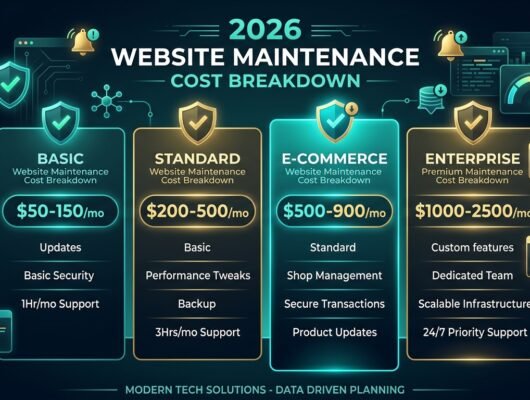
| Direct Engineering Cost | $300 – $1,200 / month (Predictable retainer) | $4,000 – $15,000+ (Emergency weekend rates at $150–$250/hr) |
| Downtime Duration | Zero downtime (Updates tested on staging first) | 12 to 72 hours of total business stoppage |
| Data Loss Risk | Near-zero (Quarterly verified restorable backups) | High (Corrupt backups or unrecoverable database states) |
| Brand Reputation & Churn | High user trust and 5-star app ratings | Customer churn, payment chargebacks, lost search rankings |
One real case study from our maintenance practice: an e-commerce client deferred routine plugin and database maintenance for fourteen months. An automated vulnerability scanner identified an unpatched vulnerability in an outdated payment gateway connector, injecting malicious redirect scripts into their checkout flow. Remediation required 48 hours of emergency database sanitization, security audits, and code refactoring costing $6,800—along with approximately $14,000 in lost weekend sales. A standard $400/month preventive maintenance retainer would have patched the vulnerability eleven months prior during routine staging cycles.
Actionable maintenance recovery plan: What to do today
If your application displays any of the symptoms above, follow this three-step stabilization sequence:
- Commission a comprehensive technical debt audit: Run automated vulnerability audits (npm audit, Snyk), inspect slow query logs on your database, and review error monitoring exception counts in Sentry or Crashlytics.
- Establish a staging environment: Never test library or database updates on your live production server. Configure an identical staging server to validate patches safely.
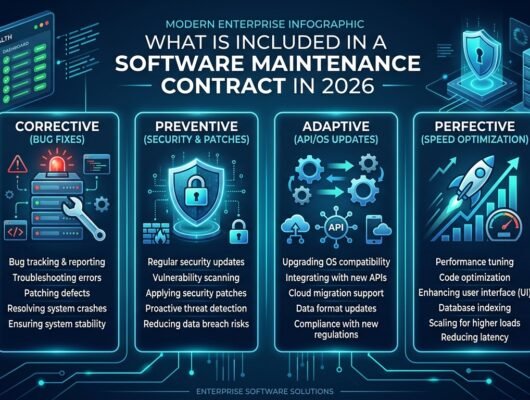
- Transition to a structured monthly maintenance SLA: Secure a dedicated support retainer covering routine security patching, database optimization, uptime monitoring, and backup restoration drills.
FAQ: Web & mobile application maintenance
How often does a web or mobile application need maintenance?
Security patches and uptime monitoring must be reviewed continuously or weekly. Dependency updates and database vacuuming should occur monthly. Comprehensive backup restoration tests and major framework compatibility evaluations should be conducted quarterly.
Can my original development agency maintain the app, or should I hire a dedicated maintenance team?
Original build agencies often prioritize new high-margin development projects over ongoing maintenance tickets, leading to delayed responses. A dedicated software maintenance team with strict Service Level Agreements (SLAs) guarantees dedicated monthly hours and fast emergency response times.
What happens if I never update my mobile app’s codebase?
Within 12 to 18 months, Apple and Google will flag your application for non-compliance with target SDK requirements. Eventually, the app will either crash on modern OS updates or be delisted from the App Store and Google Play Store entirely.
Does software maintenance include adding new features?
Standard maintenance retainers focus on stability, security patches, bug fixes, and performance optimization. However, many flexible retainers allocate a dedicated pool of monthly developer hours (e.g. 5–15 hours) that can be used for minor feature enhancements or UI tweaks.
Is your web platform or mobile app experiencing performance lag, frequent error alerts, or outdated dependencies? Our application maintenance team at Satsuma Droid provides proactive security patching, database optimization, and guaranteed SLA response times. Request a free technical health audit of your application codebase today.