
Author: Engr. Ibad, Lead Architect at Satsuma Droid. Updated for 2026.
Enterprise software used to be synonymous with clunky, gray, and confusing interfaces that required weeks of employee training to understand. In 2026, those days are over. Consumer-grade aesthetics have fully penetrated the enterprise market. If your internal tools or B2B SaaS platforms aren’t visually stunning and flawlessly intuitive, you will lose users to competitors who prioritize design.
If you are looking to revamp your application, hiring a top software house with elite design capabilities is mandatory. Here are the Top 15 Emerging UX/UI Design Trends dominating enterprise software development this year.
1. Advanced Glassmorphism
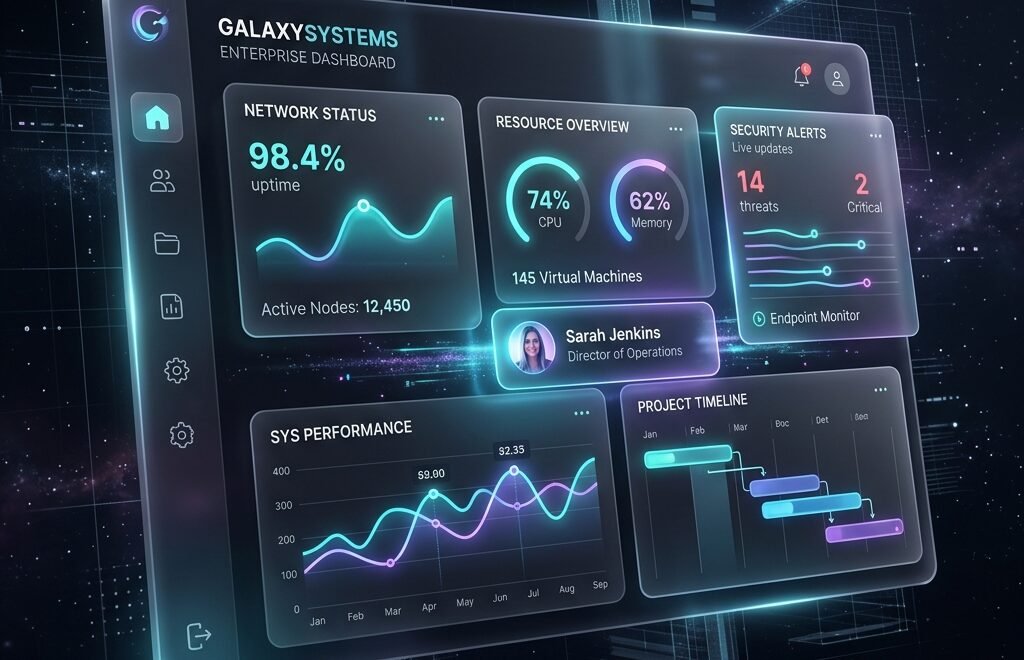
Moving beyond basic transparency, modern dashboards utilize multi-layered glassmorphism. Frosted glass panels with vivid, dynamic background blurs create depth and visual hierarchy, establishing a highly premium, futuristic aesthetic.
2. AI-Driven Adaptive Interfaces
The UI of 2026 changes itself. Using machine learning, the interface analyzes a user’s role and behavior, automatically reorganizing navigation and surfacing the most relevant widgets and data based on the specific time of day or task at hand.
3. Spatial and WebXR Integration
With the widespread adoption of mixed reality, enterprise software now includes WebXR elements. Users can manipulate 3D data models, architectural plans, or supply chain maps directly in the browser, manipulating elements in a 3D z-axis space.
4. Absolute Dark Mode Elegance
Dark mode is no longer an optional toggle; it is the default starting point for enterprise design. Utilizing true OLED blacks paired with high-contrast neon accents (cyan, electric blue, orange) reduces eye strain for power users while looking exceptionally modern.
5. Micro-Interactions as Feedback
Static buttons are dead. Every hover, click, and data load is accompanied by fluid, physics-based micro-animations. These subtle motion designs provide immediate, satisfying psychological feedback to the user, making complex software feel “alive.”
6. Voice User Interfaces (VUI) for Enterprise
Why click through five menus when you can speak? Top developers are integrating Natural Language Processing (NLP) directly into dashboards, allowing executives to simply ask, “Show me Q3 revenue projections” to instantly generate custom data views.
7. Data Storytelling over Data Dumping
Instead of overwhelming users with massive spreadsheets, modern UI focuses on “data storytelling.” Dashboards use narrative text generation and highly curated, interactive infographics to explain why data is changing, rather than just showing the raw numbers.
8. Bimodal Typography
Enterprise design is embracing bold typographical contrasts. Combining massive, highly stylized geometric sans-serif headers with incredibly legible, monospace fonts for data tables creates a beautiful tension between editorial design and technical precision.
9. Contextual Command Palettes
Inspired by developer tools, enterprise apps now feature omnipresent command palettes (like hitting Cmd+K). This allows power users to instantly search for features, navigate pages, or execute complex macros via keyboard without ever touching the mouse.
10. Gamification of Enterprise Tasks
To increase adoption and data entry compliance, software is incorporating subtle gamification. Progress bars, achievement unlocked animations, and beautifully designed success states turn tedious administrative work into engaging tasks.
11. Neumorphism Evolves to “Claymorphism”
Moving away from flat design, UI elements feature soft, extruded, 3D clay-like aesthetics. Large, friendly border radii and soft inner shadows make enterprise tools feel approachable and tactile rather than intimidating.
12. Skeleton Screens for Perceived Performance
Instead of loading spinners, modern apps use skeleton screens with shimmering gradients that mimic the exact layout of the incoming data. This psychological trick drastically reduces the perceived wait time for complex API queries.
13. Passwordless UX
The UX of logging in has been completely streamlined. By utilizing WebAuthn and biometric passkeys, users authenticate instantly via their device’s Face ID or fingerprint, removing friction and completely eliminating “forgot password” workflows.
14. Designing for Accessibility (A11y) First
Accessibility is no longer an afterthought; it drives design. High-contrast ratios, focus-visible states, screen-reader optimized DOM structures, and dynamic text sizing are engineered directly into the foundational UI component library.
15. The Need for Elite UI/UX Architects
Implementing these complex, highly technical aesthetic trends requires more than just a graphic designer. It requires frontend engineering experts who understand React, WebGL, and advanced CSS frameworks to bring these visions to life without sacrificing application performance.
At Satsuma Droid Pvt Ltd, we don’t just build functional software; we engineer breathtaking digital experiences. As a premier software house, our UI/UX design teams and frontend architects work in perfect synergy to deliver award-winning enterprise applications that users genuinely love to use. Hire our design and development team to revolutionize your software’s user experience today.